Everything in one place
Built around your vessel. Works the way boats actually do.
My Boat Brain is built around how boats actually work — offline-first, engine-hours-aware, and organised around your specific vessel rather than generic task lists.
Start free trial →30-day free trial · No credit card required
Jobs & Maintenance
Nothing slips through the cracks
Log every service and set it to recur — by calendar time or engine hours. Assign jobs to specific crew members. Completing a job automatically creates the next instance and updates the component's service history. My Boat Brain tells you what's due; you just do the work.
Recurring jobs
Repeat by days, weeks, months, years, or engine hours. Completing a job spawns the next one automatically.
Engine-hours triggers
Track actual engine hours and set jobs to fire at the right intervals — impeller, oil, filters, transmission.
Component-linked
Link every job to a specific piece of equipment. Complete the job and that component's service history updates automatically.
Crew assignment
Assign any job to a specific crew member. Know who's responsible for what — no ambiguity, nothing forgotten.
AI job entry
Describe a job in plain English. AI fills in the priority, component, interval, and due date.
List, board, calendar
Switch between list, kanban board, and calendar views to see your jobs however makes sense for how you work.
Push notifications
Email and SMS reminders before jobs go overdue. Set how many days in advance you want a heads-up.
PDF export
Export your full maintenance history as a PDF — useful for insurance, surveys, and resale.
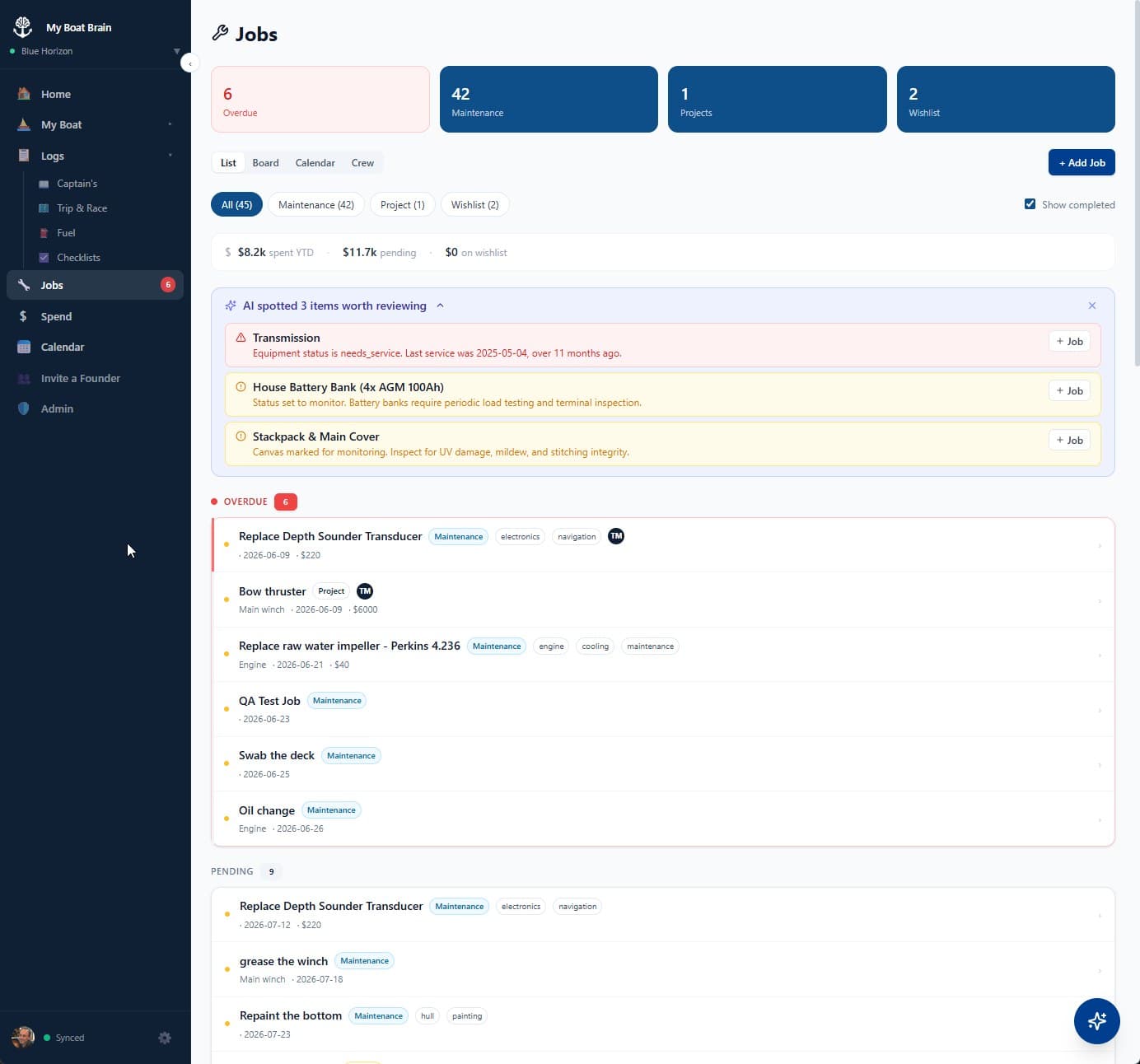
Recurrence intervals
Equipment Registry
Know every part of your boat
Build a full component registry for your vessel. Track service schedules, parts inventory, and health status for every system — from the engine room to the masthead.
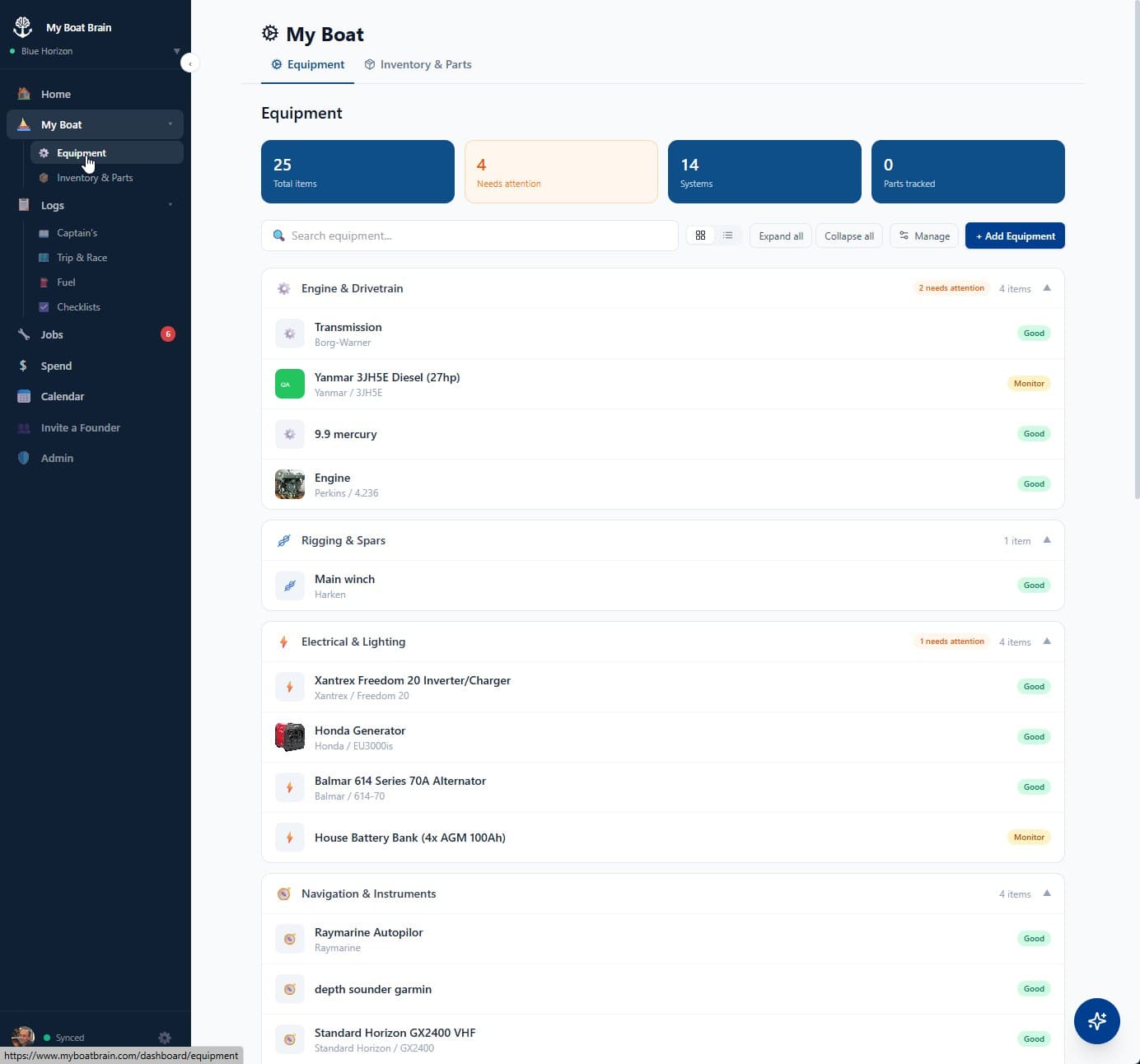
Status at a glance
Vessel-type-aware categories
Sailboats
Powerboats
All vessels
Service schedules
Per-component intervals
Parts inventory
Supplier + part numbers
Photo docs
Per-component photo gallery
Trips & Logbook
Every passage, properly recorded
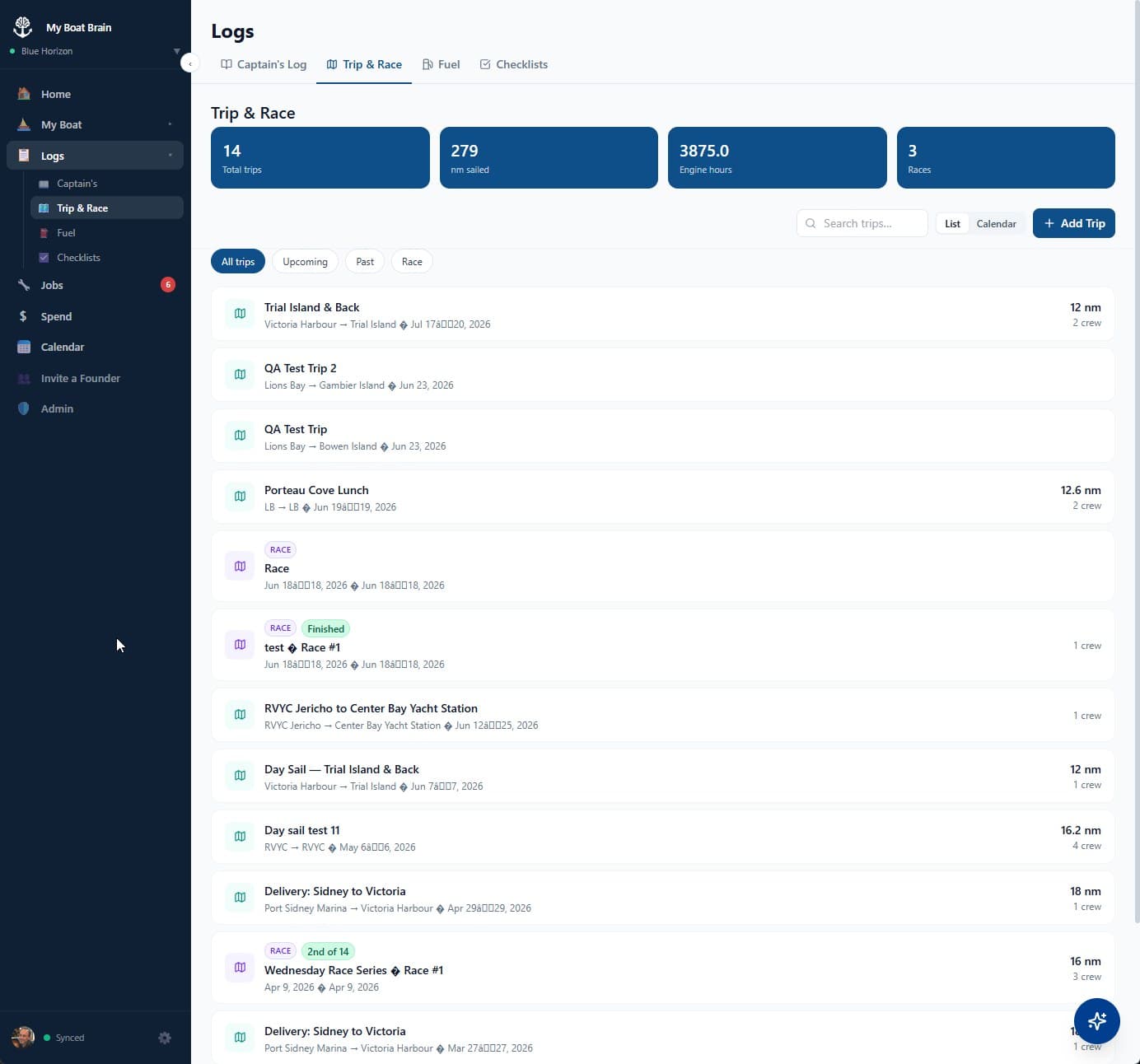
Log where you've been, what conditions were like, who was aboard, and how it looked — in seconds. My Boat Brain builds a permanent, searchable record of your vessel's life at sea.
Trip log
- ✓Record distance, engine hours, crew, conditions, and rating
- ✓Per-trip photo gallery — document every passage
- ✓Twin-engine support — log hours per engine separately
- ✓Cards, list, or calendar view
- ✓AI-assisted: describe your trip, AI fills the form
- ✓Filter: all / upcoming / past
- ✓Export full trip logbook as PDF
- ✓Race entries — log regatta start times, fleet, and finishing position
Captain's logbook
- ✓Daily entries for observations, weather, and notes
- ✓Attach photos to any log entry
- ✓Tag entries by type: passage, maintenance, mooring, incident
- ✓Timeline view with tag filters
- ✓AI parsing — narrate it, AI fills the fields
- ✓Float plan documentation
Spend & Fuel Tracking
Finally know what your boat actually costs
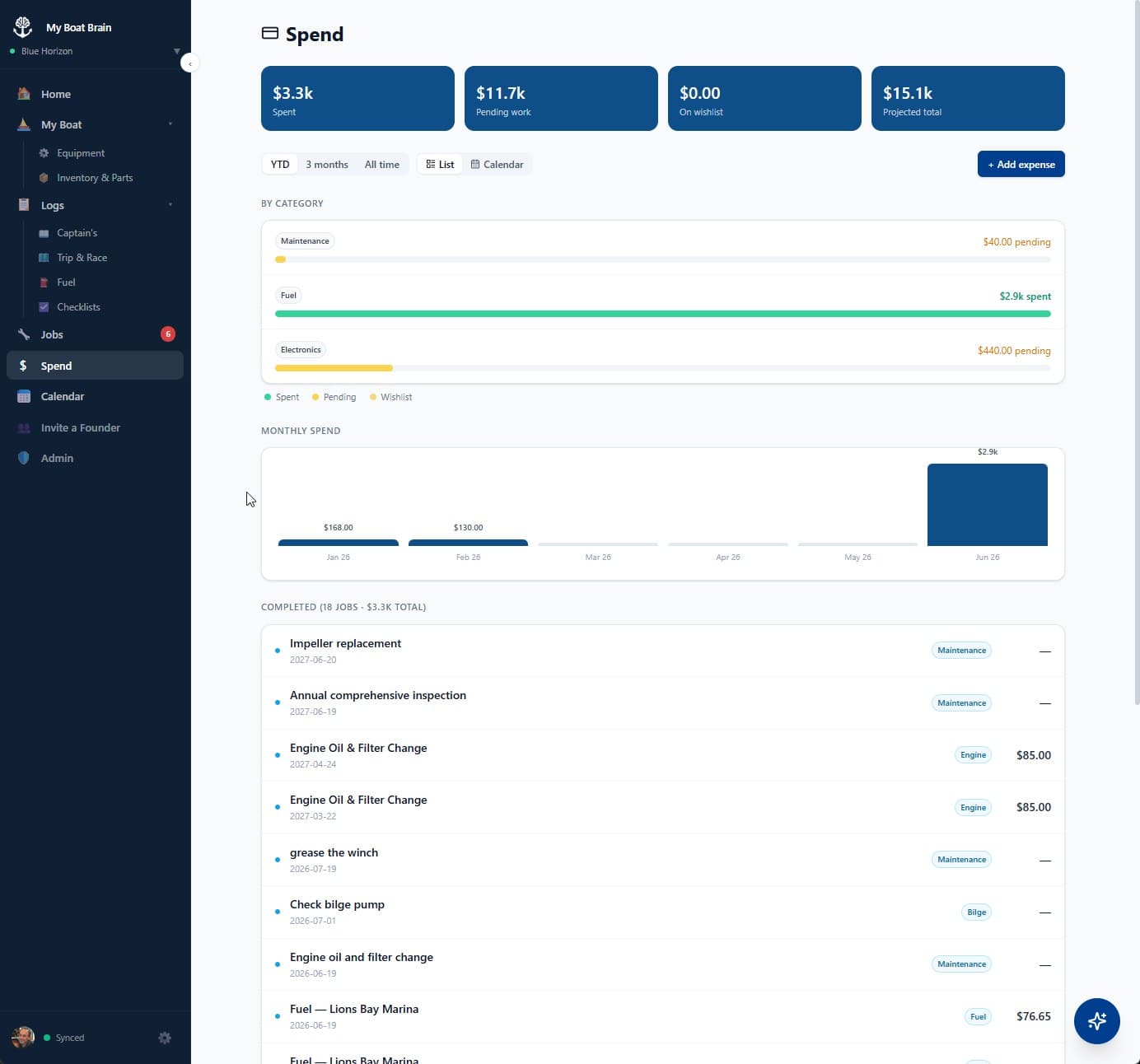
Track every dollar. Snap a receipt. See your real spend by category and by season — with a dedicated fuel log that tracks every fill-up.
Receipt scan
Photograph a receipt — amount, date, vendor, and category fill in automatically.
Dedicated fuel log
Full fill-up history with gallons or litres, cost, location, and engine hours.
Category breakdown
Fuel vs. parts vs. moorage vs. upgrades — by month or by year.
PDF export
Export your full expense history for insurance documentation, surveys, or resale.
Expense categories
Checklists
Never skip a step
Seasonal and safety checklists for every seasonal moment — plus custom checklists for anything specific to your vessel. Assign individual items to crew members and track progress together.
Pre-Departure
Safety gear, nav lights, fuel, bilge, engine check, weather, float plan.
Arrival & Docking
Lines, fenders, shore power, engine shutdown, log the trip.
Winterisation
Engine flush, fuel stabilizer, freshwater antifreeze, battery storage.
Spring Launch
Seacocks, impeller, zincs, safety gear, registration, engine startup.
Safety Drill
Man overboard, fire, flooding, flare deployment — run it with your crew.
Custom checklists
Build your own for vessel-specific procedures, guest onboarding, pre-race prep, anything.
Crew item assignment
Assign individual checklist items to specific crew members.
Partial save & resume
Save progress mid-checklist and pick up exactly where you left off.
Trip linking
Link a completed checklist run to a specific trip for a full pre-departure record.
Calendar
Your whole season at a glance
The vessel calendar brings everything together — upcoming maintenance jobs, planned trips, and scheduled checklist runs — in a single unified view. Plan around your boat's full schedule without jumping between sections.
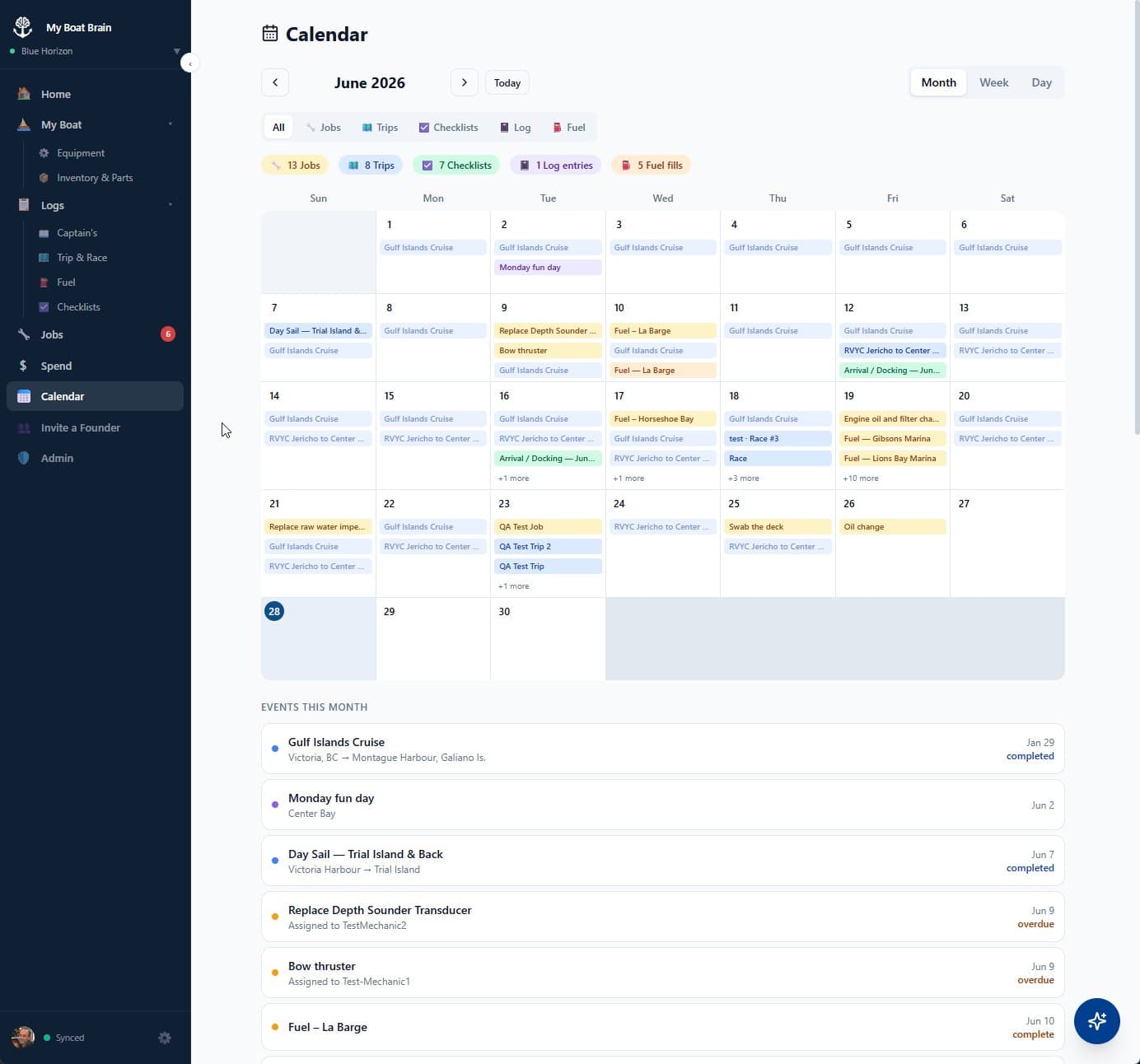
Unified view
Jobs, trips, and checklist runs all in one calendar — no switching between sections to understand your schedule.
Color-coded by type
Maintenance jobs, passages, and checklist runs each have their own color so you can scan and understand at a glance.
Upcoming maintenance
See service due dates plotted in time. Know when the next oil change lands before you commit to a passage.
Season planning
Plan passages around your maintenance window. Never start a long cruise only to discover your impeller is overdue.
AI Copilot
Ask your boat brain anything
The AI copilot lives in the sidebar throughout the app. It knows your vessel — engine hours, service history, upcoming trips, seasonal context — and gives personalised answers, not generic boat advice.
Example questions
"What’s overdue on my boat?"
3 items need attention: impeller (127 hrs, due every 100), zincs (8 months), bilge pump test (overdue since last season).
"How much did I spend on fuel last season?"
You spent $1,847 on fuel — up 12% from the year before. Highest month was July at $423.
"What should I check before this weekend?"
Based on your log: check zincs (overdue), test bilge pump, confirm nav lights (no entry in 8 months), verify first aid kit (14 months).
"Schedule an oil change every 100 engine hours"
Done. Recurring job created and linked to your Yanmar. Current hours are 127 — it’s due now. First repeat will trigger at 227 hrs.
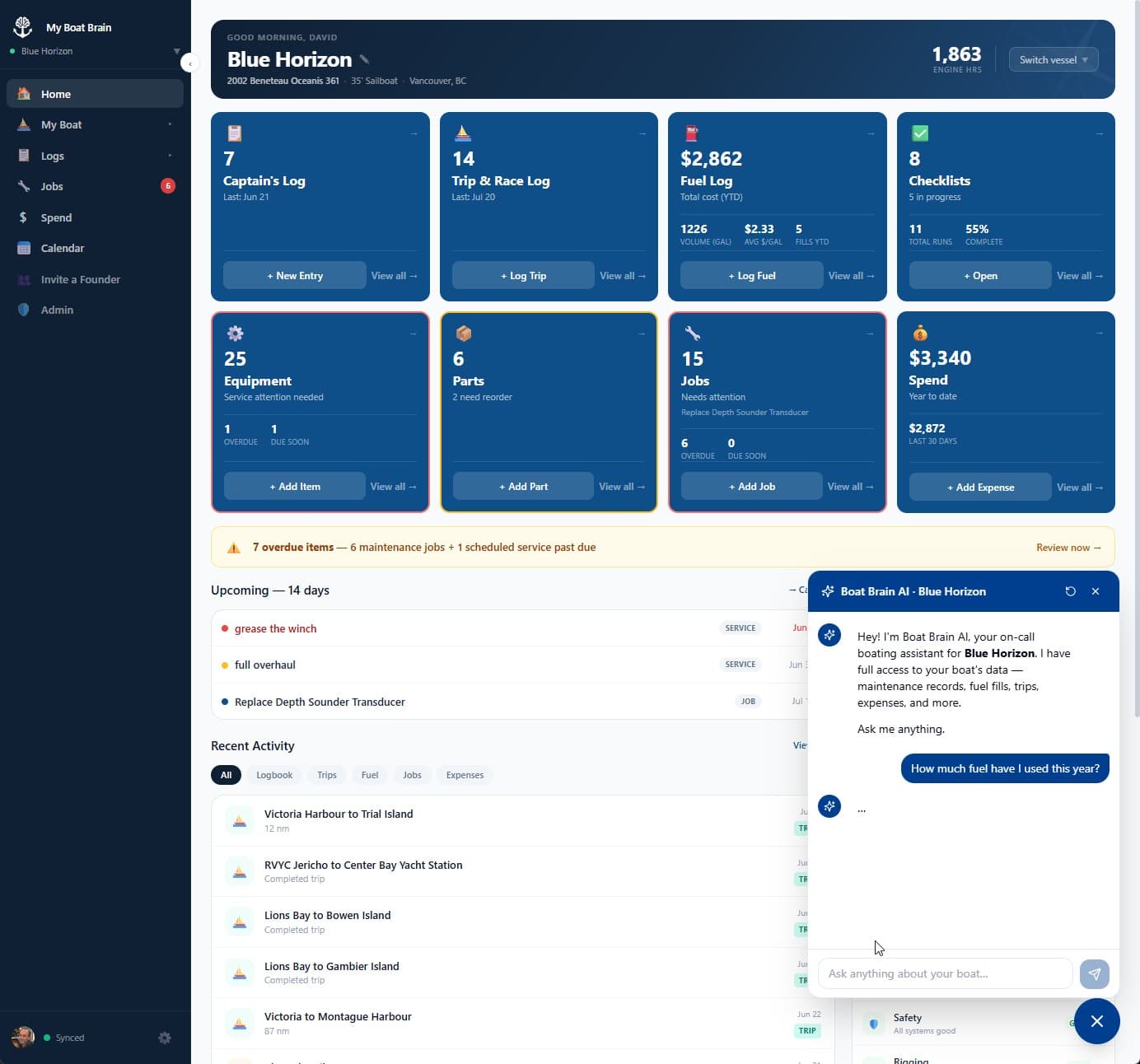
Vessel-aware
Knows your specific boat’s history, hours, and crew — not just boats in general.
Natural language entry
Add jobs, trips, expenses, and log entries by describing them in plain English.
Pre-departure checks
Ask what to check before this weekend — get a list based on what’s actually in your log.
Proactive flagging
Notices when something is coming due and surfaces it automatically — before you have to ask.
Offline-first
Works where boats actually are
My Boat Brain is built offline-first from the ground up. Logs, jobs, expenses, and trip records work on your device without a connection. AI features require internet. Your data syncs automatically when you come back online.
On-device first
All your data lives in your device’s local storage. The app works fully without a server — log a trip, record a job, add an expense, all offline.
Auto-sync
When connection is restored, changes sync to your private cloud account automatically. No manual uploads, no spinners.
Sync status indicator
A small indicator in the sidebar tells you your sync state at a glance: idle, syncing, offline, or error.
Your data, your device
Data lives on your device first. We sync it so you can access it anywhere — but you’re never dependent on our uptime to see your own records.
Instant response
Because data is local, the app is fast. No loading spinners waiting for API calls. Your jobs and logs render instantly.
Cross-device
Log a trip on your phone at anchor. View your service history on your laptop at home. Sync keeps everything consistent.
Fleet & Crew
Your boat is a team effort
Add your crew, assign work to specific people, and run checklists together. Manage multiple vessels from one account — with every person, every job, and every boat organised in one place.
People management
Add your crew, first mate, guests, and co-captains by name. No separate user accounts required — just name them and start assigning.
Crew job assignment
Assign any maintenance job to a specific person. Know exactly who’s responsible for what — no ambiguity, nothing forgotten.
Checklist item assignment
Assign individual checklist items to specific crew members. Your mate handles the engine; your crew handles the lines.
Multi-vessel
Manage multiple vessels from one account. Switch from the sidebar picker. Each vessel has its own records, jobs, and equipment.
Fleet overview
See all your vessels at a glance — active jobs, upcoming services, and recent activity across your entire fleet.
Tenders & dinghies
Add tenders as sub-vessels on your main boat, each with their own equipment list and service records.
AI Agent / MCP
Let AI agents manage your vessel data
My Boat Brain exposes an MCP (Model Context Protocol) server — the open standard for AI agents. Connect Claude or ChatGPT and they can read your vessel records and take action on your behalf, right from a chat interface.
What AI agents can do
- →Read your vessel’s full maintenance and service history
- →Log trips, expenses, and logbook entries
- →Create and complete maintenance jobs
- →Check what is overdue and what is coming up
- →Update vessel details and engine hours
- →Add service schedules to specific components
- →Send test notifications and manage preferences
How to connect
- 1.Get your API key from Settings → API Keys
- 2.Add the My Boat Brain MCP server to Claude Desktop or your AI client
- 3.Ask your AI assistant to manage your boat — it has full access to your vessel data
MCP integration included with Skipper.
View the full MCP setup guide →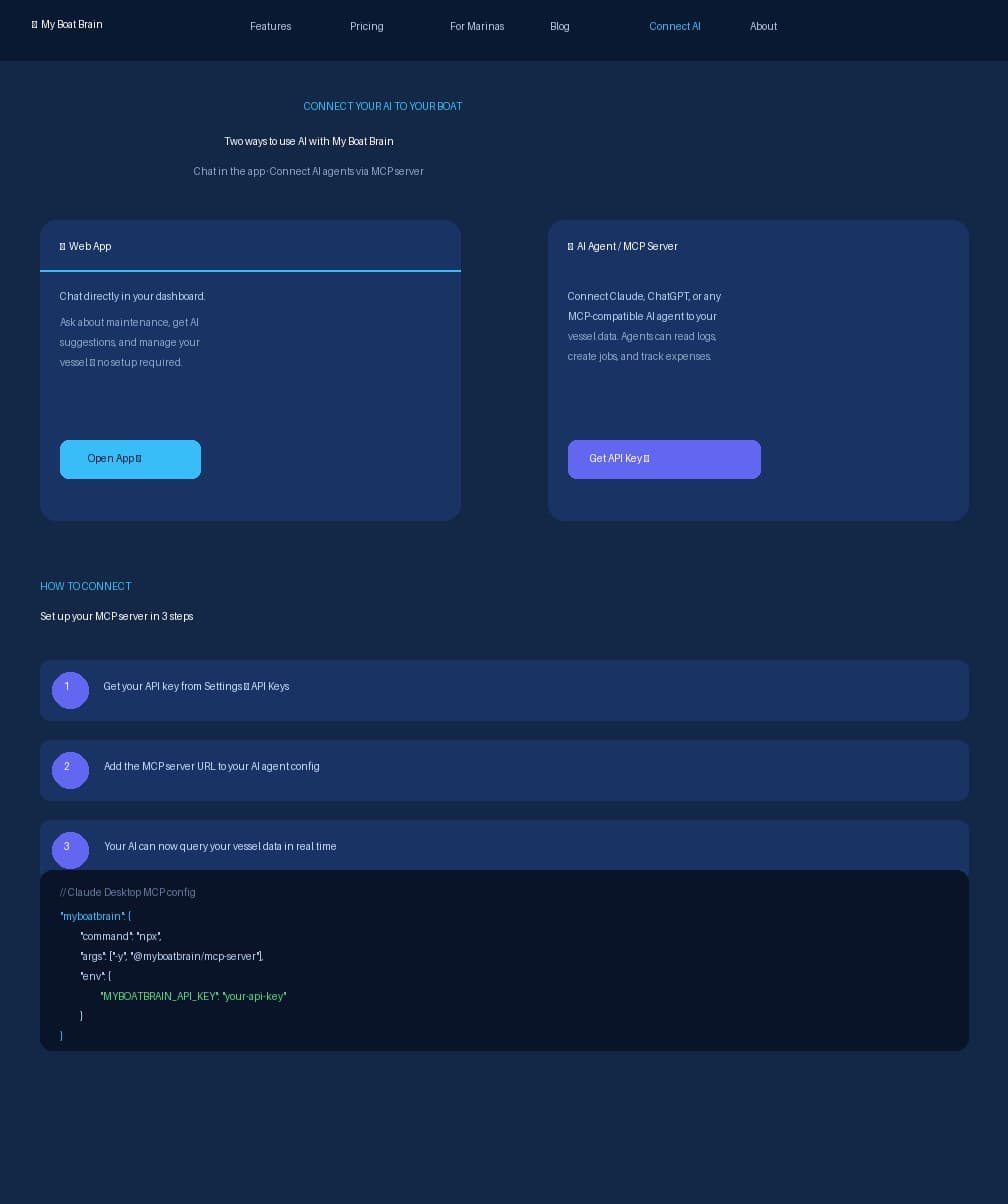
No competitor has an MCP server. This is genuinely unique.
Know your boat.
Start a free 30-day trial. Add your vessel, log your most recent service, and let My Boat Brain tell you what's coming up next.
30-day free trial · No credit card required
 Founding Member Program
Help us build this. Get 60 days free.
The first 50 boaters get 60 days completely free, their rate locked at $9/month forever, and a direct line to what we build next.
Claim your founding member spot →No credit card required · First 50 only